



One simple reset can bring your PowerView Shades back to perfect working condition.
PowerView Shades help you open and close your blinds with a remote or phone. But sometimes, they stop working or don’t follow commands. That’s when knowing how to reset them really helps. A simple reset can fix the problem fast. The importance of resetting PowerView Shades is that it keeps them running smoothly every day.
What Are PowerView Shades?
PowerView Shades are smart window coverings that move on their own using a remote, phone app, or voice commands.
You can open or close them with one click or set a schedule. They help control light, keep your home private, and save energy. These shades are made to make life easier and more comfortable every day.
- Watch how they work here: PowerView Shades Overview Video
Why Reset PowerView Shades?
Resetting PowerView Shades helps fix problems and makes them work like they should.
Sometimes the shades stop moving, move slowly, or don’t follow commands. This can happen because of weak signals, low battery, or small system errors. A reset clears these problems and brings the shades back to normal.
After a reset, PowerView Shades work better and respond faster. It also helps them reconnect with your remote or phone. This is a simple way to fix issues without calling for help. Knowing how to reset PowerView Shades is important. It keeps them working well and saves you time and trouble.
How To Reset PowerView Shades?
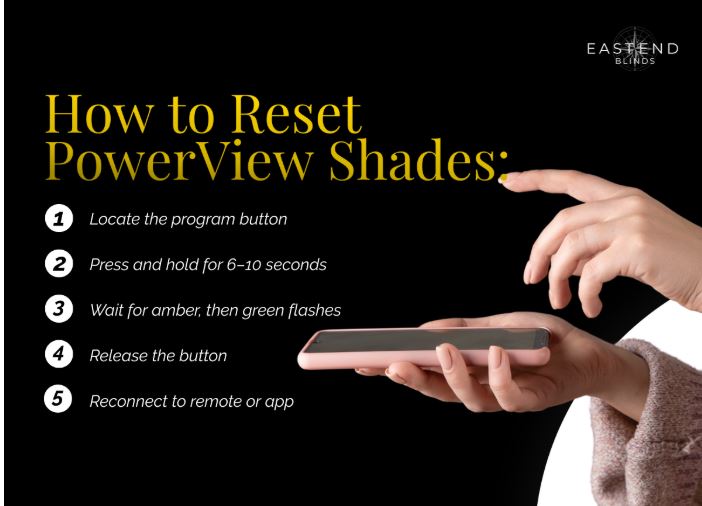
Press and hold the program button until the light flashes, then release to reset PowerView Shades.
Step 1: Find the small program button on the shade
⬇️
Step 2: Press and hold the button for 6–10 seconds
⬇️
Step 3: Wait for the light to flash amber, then green
⬇️
Step 4: Release the button once the flashing stops
⬇️
Step 5: Reconnect the shade to your remote or app
When Do PowerView Shades Stop Working?
PowerView Shades stop working during low battery, lost connection, or after updates and signal problems.
| When It Happens | What Causes It |
| After long use without charging | The battery runs low |
| During app updates | The system loses connection |
| After moving the Wi-Fi router | The signal gets weak or lost |
| When firmware isn’t updated | Compatibility issues happen |
| After a power outage | Settings may reset or go offline |
| During heavy sunlight or blockage | Sensors or motors get affected |
PowerView Shades can stop working when the battery is low or the app loses connection. Knowing how to reset them is important. It helps keep your PowerView Shades in good working condition all the time.

How Does a Reset Improve Work?
A reset helps PowerView Shades work better by clearing errors and refreshing their system.
Removes System Glitches
- It clears small bugs that slow down the shades.
- This helps them follow commands correctly again.
Reconnects to Smart Devices
- Resets fix lost links to your phone or remote.
- This makes sure your shades stay connected.
Reboots Shade Controls
- The reset refreshes control settings inside the system.
- This stops missed commands or delays.
Restores Power Flow
- It helps fix battery or signal issues.
- This allows the shades to move smoothly again.
Refreshes Memory Settings
- Old saved settings may confuse the system.
- A reset clears them for better performance.
Improves Overall Speed
- Shades respond faster after a reset.
- It makes daily use quicker and easier.
What’s The Importance of a Reset?
A reset keeps PowerView Shades working well by fixing errors, restoring movement, and avoiding bigger issues.
How Often Should You Reset Them?
Reset PowerView Shades only when they stop working, lose connection, or stop responding to commands.
- Only when the shades stop working or freeze.
- After firmware or app updates.
- If they won’t connect to your remote or phone.
- When they move slowly or get stuck.
- After power cuts or signal loss.
- When other steps don’t help.
- No need to reset often if the shades are fine.
- A factory reset may be needed for bigger issues.
- Resetting to factory settings removes errors and the old setup.
- Look at real-life examples to see when resets help most.
- Need more help? Check your manual or contact support.
- A full reset won’t erase personal data, but settings may change.
- Still unsure? Talk to a PowerView expert before resetting.

FAQs
Do I Need Tools To Reset?
No, just press the program button.
How To Avoid Frequent Resets?
Keep batteries fresh and apps updated.
Why Is a Reset Important?
The importance is in keeping the shades working without issues.
Can It Save Time?
Yes, it can save time by fixing problems fast.
Let’s Design Your Perfect Window Look
East End Blinds offers high-quality window treatments for homes and businesses. All products are custom-made to fit your space and style. We also offer smart features for easy use.
Tom Ciancuielli, Founder and Owner of East End Blinds, has dedicated over two decades to delivering high-quality Hunter Douglas window treatments. With expertise in both residential and commercial window coverings, he specializes in products like Hunter Douglas PowerView. He also integrates smart home technology to enhance functionality and convenience for his clients.
Tom is committed to providing personalized service, ensuring each installation meets the unique needs and aesthetics of his customers. He offers professional in-home consultations and precise measurements to guarantee a perfect fit. Under his leadership, East End Blinds has built a strong reputation for outstanding craftsmanship and customer service. The company has earned numerous positive reviews and maintains a strong presence in the Tri-State area.
Tom is passionate about staying up to date with the latest design trends and technology. He continuously seeks innovative solutions to improve his offerings. For more information or to connect with Tom, visit his LinkedIn profile.